
I wish I knew how to do it. The only thing I found is ThomasJepp.SaintsRow.ExtractFont, it says it works with vf3_pc files, converts them to .xml, but even if I try to add or replace some characters with the ones I need, how do I pack them back into vf3_pc if there isn't some BuildFont or something instead.How about custom font? I think this should work in the same way as it was done by russian GTA Trilogy community back in days. They replaced some spanish letters with cyrillic in texture file and in localisation files they used those spanish letters pretending them to be cyrillic.

You are using an out of date browser. It may not display this or other websites correctly.
You should upgrade or use an alternative browser.
You should upgrade or use an alternative browser.
Minimaul's Saints Row 2, Saints Row: The Third, Saints Row IV and Gat Out Of Hell tools

There are font_*.cvbm_pc texture files, so you can edit those. This topic should help you to do that.
I don't quite understand, after editing cvbm_pc(I changed the letter Э to another one, i.e. to the one I need Є) I get .cpeg_pc and gpeg_pc files, what should I do with them? In any case, I don't touch gvbm_pc and vf3_pc, will there be changes in the game without editing these files?There are font_*.cvbm_pc texture files, so you can edit those. This topic should help you to do that.
Without testing it, hard to tell anything. You've probably should save .cpeg_pc and .gpeg_pc files into the same folder as your .le_strings files. After that that you've just put everything from that folder into Saints Row IV - Workshop upload tool and save it as file in mods folder in game directory.I don't quite understand, after editing cvbm_pc(I changed the letter Э to another one, i.e. to the one I need Є) I get .cpeg_pc and gpeg_pc files, what should I do with them? In any case, I don't touch gvbm_pc and vf3_pc, will there be changes in the game without editing these files?
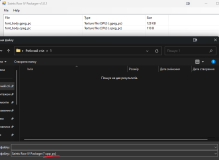
I tried font_body_nobdr.cvbm_pc and font_body.cvbm_pc, i.e. I got the vpp_pc files and put them in the mods folder, is everything correct? The letter didn't change... I found a Brazilian translation for The Third, I haven't tested, it will replace the files in the screenshot and not the ones you suggested.Without testing it, hard to tell anything. You've probably should save .cpeg_pc and .gpeg_pc files into the same folder as your .le_strings files. After that that you've just put everything from that folder into Saints Row IV - Workshop upload tool and save it as file in mods folder in game directory.
I wasn't right. There are no need in packing those font_* files, just drop them into mods folder and that it.I tried font_body_nobdr.cvbm_pc and font_body.cvbm_pc, i.e. I got the vpp_pc files and put them in the mods folder, is everything correct? The letter didn't change... I found a Brazilian translation for The Third, I haven't tested, it will replace the files in the screenshot and not the ones you suggested.
Just in case I have made custom font with Є instead of Э. You can use it, if you need so.
Attachments

How did you create this font, i.e. how did you package it back after editing it in cvbm_pc, the guide you provided created vpp_pc.I wasn't right. There are no need in packing those font_* files, just drop them into mods folder and that it.
Just in case I have made custom font with Є instead of Э. You can use it, if you need so.
Attachments
Last edited:
SR3 Texture Utilities can recompile .cvbm_pc and .gvbm_pc files, you just need them to be in the same folder as your modified .tga.DDS texture and drag'n'drop .cvbm_pc onto SR3RepackTextures.exe. As for .vcc_pc pack file, I've also tried to do it as guide provides, but game for reasons to me unknown doesn't apply those changes. I did try another way and just put modified .cvbm_pc and .gvbm_pc files into mods folder and it's worked out just fine.How did you create this font, i.e. how did you package it back after editing it in cvbm_pc, the guide you provided created vpp_pc.
Thank you very much for your help, I couldn't have done it alone.SR3 Texture Utilities can recompile .cvbm_pc and .gvbm_pc files, you just need them to be in the same folder as your modified .tga.DDS texture and drag'n'drop .cvbm_pc onto SR3RepackTextures.exe. As for .vcc_pc pack file, I've also tried to do it as guide provides, but game for reasons to me unknown doesn't apply those changes. I did try another way and just put modified .cvbm_pc and .gvbm_pc files into mods folder and it's worked out just fine.
I'm trying to use the New Clothing mod for SR3 in SR3R (https://www.saintsrowmods.com/forum/threads/new-clothing-for-sale-nyteblade-cyrus-parachute-etc.165/ ) As I want to unlock the STAG outfit before the end of the game. I've got the mod files, but I don't know what to do with them since they're all XTBL files. I've tried to extract the vanilla customize_items vvp_pc file from SR3R using the ThomasJepp extractor GUI tool, but I only get an empty folder with no files inside, and every other app in rev 121 folder doesn't work for me. Does anyone know what to do?